BOUNCE 2026 Field Report - How 16 Startup Booths in Busan Captured Meetings with QR and NFC
At BOUNCE 2026, the 10th-anniversary startup festival in Busan, we rolled out QR and NFC meeting capture across 16 startup booths. Here is what the setup looked like, what happened on the floor, and a checklist organizers can reuse.
Booth conversations at a startup festival are short, frequent, and almost never written down. On October 7 and 8, 2026, at BEXCO in Busan, we spent two days with the 16 startups exhibiting under the Busan Center for Creative Economy and Innovation, each booth equipped with QR and NFC meeting capture. This field report turns what we saw into something organizers and exhibiting startups can use at their next event.
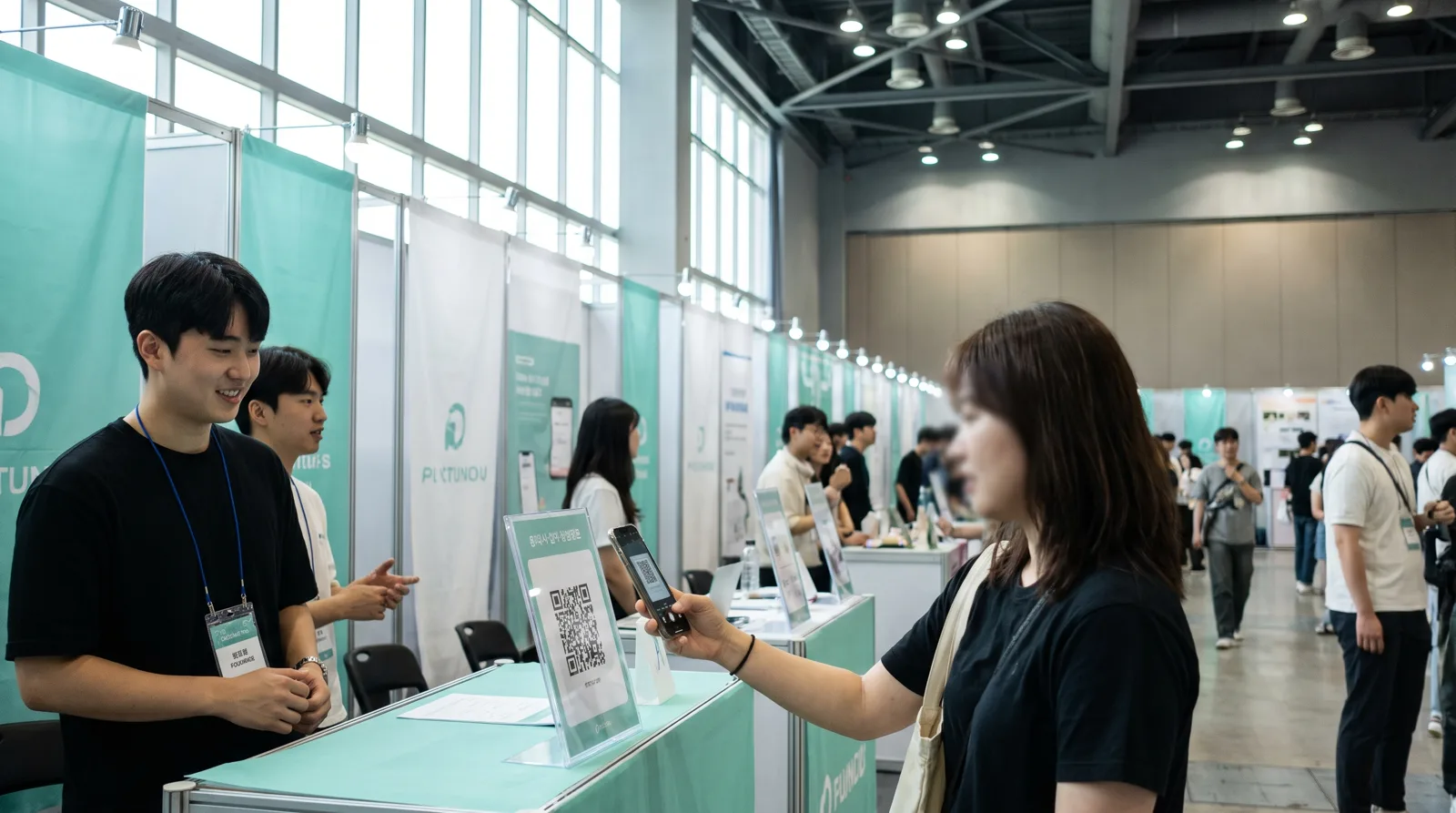
What BOUNCE 2026 was
BOUNCE is Busan's flagship startup festival, and this year marked its tenth edition under the theme "GLOWING DECADE, BRIGHT FUTURE". It was hosted by Korea's Ministry of SMEs and Startups together with Busan Metropolitan City and run by the Busan Center for Creative Economy and Innovation. It shared Exhibition Hall 1 at BEXCO with FLY ASIA 2026, which brought global partners and investors into the same space.
The two days had distinct characters. Day one centered on a global conference, founder pitching, and office hours with partners from seven countries. Day two moved to investment programs, including TIPS-linked IR sessions and a demo day. According to the published pre-event materials, roughly 25 large and mid-sized corporations and around 30 venture investors took part in the open-innovation and investment meetups.
The startup booths we worked with were grouped into four zones: smart ocean, early-stage package companies, fintech, and local lifestyle. Each booth was compact, but they sat between the meetup zone and the pitching stage, so foot traffic never stopped.
Why meeting capture is harder at a festival than at a trade show
Unlike an industry trade show, a startup festival mixes everyone in front of the same booth: VC associates, corporate open-innovation managers, other founders, university students, and the general public. Conversations run two to five minutes and arrive in waves whenever a pitching session ends.
Under those conditions, business cards and handwritten notes barely function. The person at the booth is usually the founder or one or two teammates, so nobody has a free hand to write. By evening, the stack of cards no longer says who was an investor and who was a student. The problem industry surveys consistently flag, that 70 to 80 percent of trade-show leads never get followed up, is even sharper at a festival.
So we narrowed the goal to one sentence: within 30 seconds of a conversation ending, with no typing, record who came and how warm they are. Everything else can wait until the evening.
What each booth received
All 16 startups got the same kit.
| Item | Purpose | Screen it opens |
|---|---|---|
| Card stand (A6, acrylic holder) | On the booth table, the QR visitors scan themselves | Visitor page: company intro, product keywords, brochures, leave-your-contact |
| Lanyard card (54 x 85 mm) | Worn by booth staff, the QR staff scan | Staff booth app: 30-second meeting record |
| Two NFC cards | Slipped into the stand and the lanyard holder; a tap opens the same pages | Same as above (Android) |
| Staff login | Email verification code, no password | Booth app and profile editing |
The print design reused the festival's official mint key visual and logo so the kit blended into each booth. Visitors saw a single line, "Scan the QR or tap NFC", and the staff QR lived on the lanyard, so visitors could not scan the wrong one.
One NFC caveat is worth knowing in advance. The MIFARE Classic cards we used open the page instantly on Android, but iPhones cannot read them. Every printed piece therefore carried a QR as well, and iPhone visitors simply scanned instead. If you want tap-to-open on iPhone too, use NTAG-family cards.
How the pre-event setup went
The week before the show mattered most. The organizing center collected each startup's company profile, and we used those files to register all 16 companies in one pass: company name, English name, tagline, intro text, product keywords, website, and intro images. Staff email addresses arrived late and were attached in a single batch just before opening day.
During setup we left the booth apps in "open access" mode, meaning anyone with the link could get in. That let the organizing center review and fix content for companies whose staff accounts did not exist yet. Right before the show we flipped all 16 booths to locked, so only logged-in staff could enter. Being able to switch all of them at once from the event page saved real time.
The visitor page shows the company intro in the visitor's language, translated automatically. With partners from seven countries on site, the English, Japanese, and Chinese versions were actually used. A translation is generated once, stored, and reused for later requests in the same language.
What we observed on the floor
Stand placement was everything. Booths that put the stand on the table corner, on the visitor's side, slightly below eye level, got scans without staff prompting. Booths that pinned it to the back wall got almost none.
Records cluster right after pitches. For about ten minutes after a founder steps off the stage, people crowd the booth and nobody records anything. Booths with two people split roles: one talks, the other records with the lanyard QR. Solo booths did only one thing in the rush, photographing the visitor's business card, and assigned lead temperature later when things calmed down.
Card recognition was the most used feature. A photo of a Korean-English business card auto-fills name, company, title, and contact details, so typing was rare. Visitors with proper cards, mostly investors and corporate managers, were recorded at a much higher rate. Students and general visitors without cards got a visitor-type tap and nothing more.
The organizing center watched in real time. The event page showed meeting counts and lead-temperature distribution for all 16 booths, which helped on the second morning when deciding where to steer meetup traffic. When the show closed, per-company results were already there, so no post-event survey was needed to build the report.
A checklist for the next event
Based on this run, here is what an organizer should line up when introducing meeting capture across startup booths.
| When | Task | Notes |
|---|---|---|
| D-14 | Collect company profiles, bulk-register companies | Name, intro, keywords, images, website |
| D-10 | Collect staff emails | A company can have several staff accounts |
| D-7 | Print stands and lanyards, write NFC cards | About 10 seconds per QR and per NFC card |
| D-3 | Open access so company staff can review content | Staff edit their own pages |
| D-1 | Lock booths, pack kits (zip bag plus company label) | 1 stand, 1 lanyard, 2 NFC cards, 1 instruction sheet |
| Show day | Check stand placement in the morning, assign peak-time roles | Two-person booths split talking and recording |
| After closing | Share per-company results as PDF or Excel | No survey required |
How TagBooth fits in
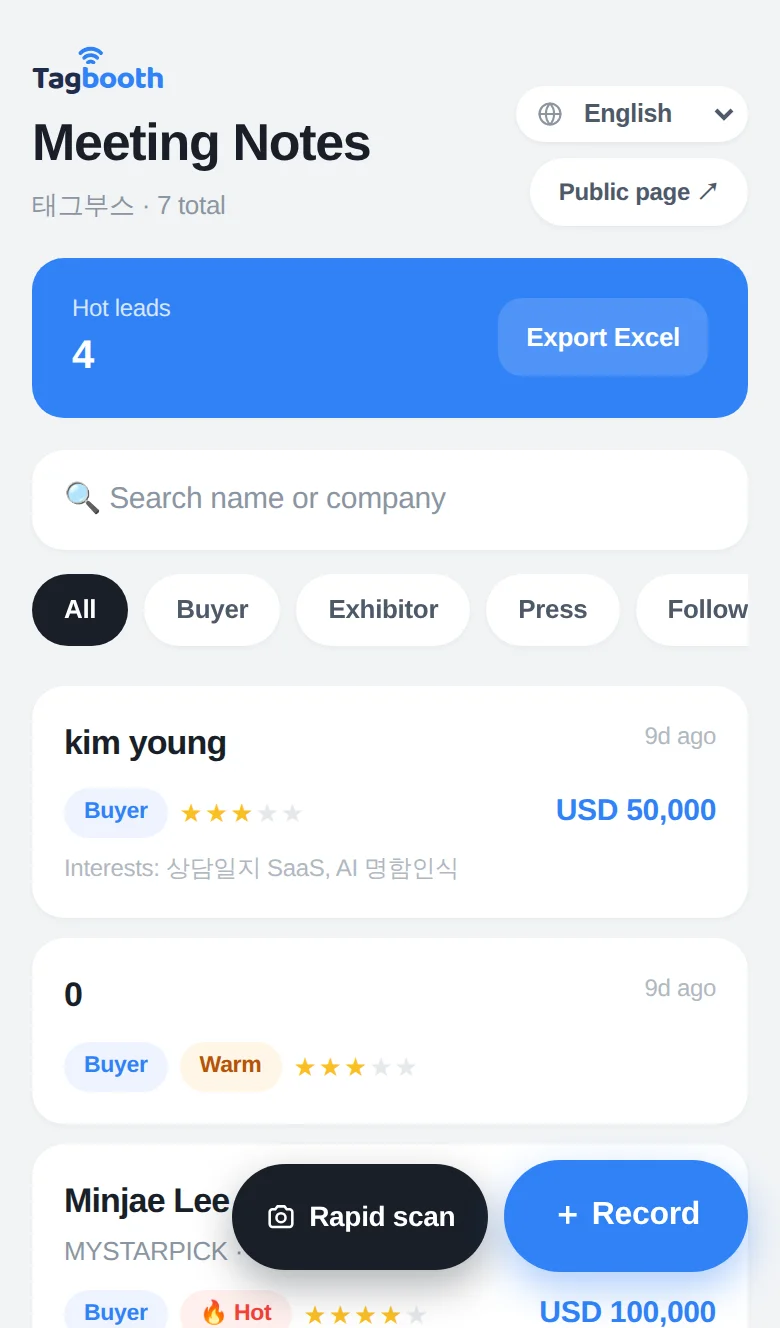
The tool behind this deployment is TagBooth. Its organizer-to-event-to-company structure means an organizing body can set up 16 booths at once and see the whole event on one screen without custom development. Booth staff tap once to open a 30-second recording screen; visitors tap the same way to see the company intro and brochures without installing anything. Bulk open-access switching, multiple staff accounts per company, and automatic intro translation were all added while preparing this event. You can try the screens in the demo without logging in, and the full flow is described in how it works.
FAQ
Is lead capture worth it at a startup festival?
Yes. VC associates and corporate open-innovation managers carry real business cards and are the visitors most likely to turn into follow-up meetings. Recording just those visitors with a lead temperature sets your follow-up order for the week after the show.
Do NFC cards work on iPhone?
It depends on the card. MIFARE Classic cards are read by Android only, while NTAG-family cards are read by both iPhone and Android. Either way, printing a QR alongside the NFC lets every visitor open the page.
How long does setup take with many exhibitors?
If company profiles are already organized, registering 16 companies takes minutes. Printing and writing NFC cards is where the time goes, at roughly 10 seconds per card, so 32 cards fit comfortably inside 10 minutes.
What can the organizer see during the event?
Meeting counts per booth, lead-temperature distribution, and daily and hourly trends, all live. After closing, the same data downloads as PDF and Excel for per-exhibitor performance reports.